GTA 6 Story Mode
GTA 6 BuckMe Banking Guide
ViceSix · Reviewed
Managing money in GTA 6 is quite different from GTA 5. Instead of having one balance that you can spend freely, you now have cash in your pocket, money in the bank and a separate account for Jason and Lucia's future together.
BuckMe is the banking app you use to receive payments, manage your money, find ATMs and contribute towards Family Savings.
There are two things you need to understand before you start making serious money. Your bank account has a limit, which can prevent you from receiving payments, and any money transferred into Family Savings cannot be withdrawn.
Getting those two things right will save you a lot of frustration as you progress through the story.
On this page
How BuckMe works in GTA 6
GTA 6 separates your money into three main balances. Each serves a different purpose.
| Money type | What it is used for | Can you withdraw or spend it? |
|---|---|---|
| Pocket Cash | Physical cash carried by your character | Yes |
| Checking Account | Receiving payments, making purchases and paying mission expenses | Yes |
| Family Savings | Long-term savings goals and associated rewards | No |
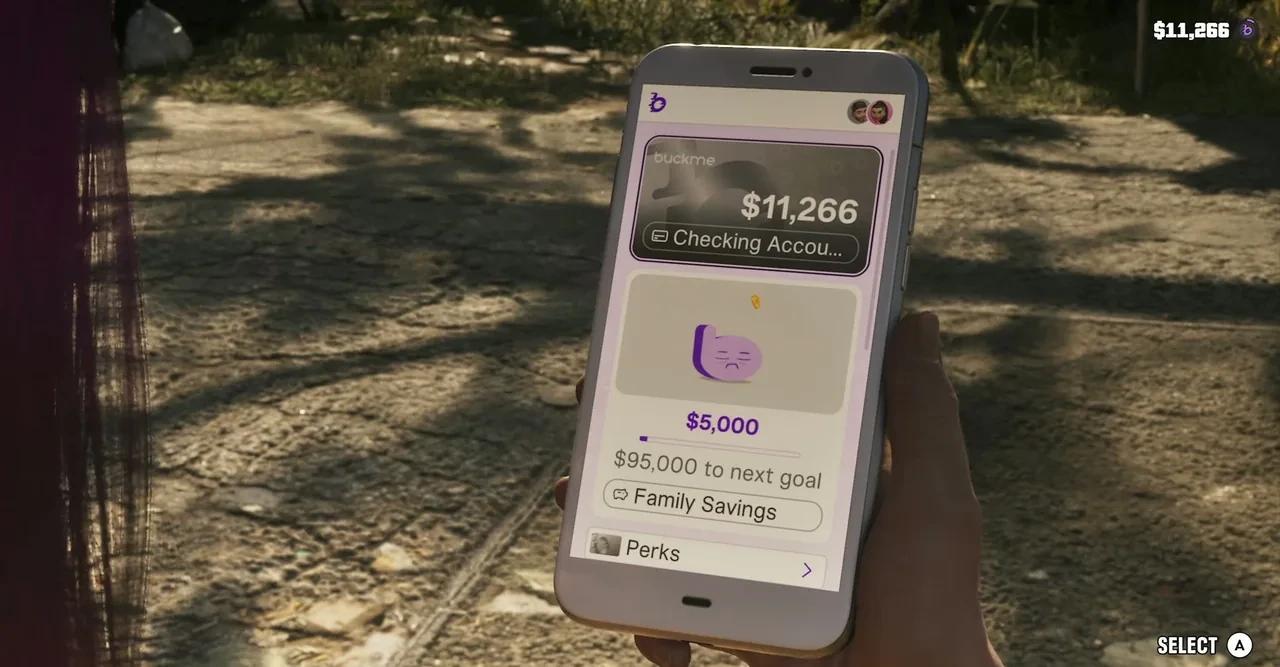
Pocket Cash
This is the money Jason or Lucia physically carries. You collect cash through robberies, jobs and other activities around Leonida.
The problem with carrying large amounts of cash is that you risk losing it when you get arrested or killed. Once BuckMe is available, you can deposit your earnings at an ATM instead.
Checking Account
Checking is your everyday bank account. Payments from certain jobs and buyers are deposited here, and you can use the balance to make purchases.
Unlike pocket cash, you don't need to withdraw money from an ATM every time you want to buy something. Many purchases can be paid directly from Checking.
Your account does have a maximum balance, however. If an incoming payment would take you beyond that limit, you may have to wait before receiving it.
Family Savings
Family Savings is a shared account for Jason and Lucia. It represents their attempt to build a future together.
Contributing money helps you progress towards savings goals, which can earn rewards and influence certain story outcomes.
Unlike Checking, money transferred into Family Savings is no longer available for ordinary spending.
You can move money between your pocket and Checking, but transfers into Family Savings are permanent.
Why are my BuckMe payments pending?
If you've sold a vehicle, delivered stolen goods or completed a job but haven't received your money, check your Checking account limit.
Your account needs enough room to receive the incoming payment. This means a transaction can remain pending even when your account isn't completely full.
Example 1: Your account doesn't have enough room
Let's say you've sold a car for $5,000 during the early part of the game.
| Your account | Amount |
|---|---|
| Checking limit | $15,000 |
| Current balance | $13,000 |
| Space remaining | $2,000 |
| Expected payment | $5,000 |
Your bank can only hold another $2,000, but you're expecting $5,000.
You would need to free up another $3,000 for the full payment to fit within your account limit.
Making room may allow the payment to come through, although it isn't guaranteed to happen immediately.
Example 2: The payment is bigger than your entire bank account limit
Now imagine you're expecting a $20,000 payment, but your Checking account can only hold $15,000.
Even if you withdraw every dollar from your bank, there still won't be enough room to receive the full payment.
In this situation, you need to unlock a higher account limit by progressing through the story.
Don't waste your money buying things you don't need or transferring it into Family Savings to try to fix this problem.
How to fix pending BuckMe payments
Start by opening BuckMe and checking your transaction history.
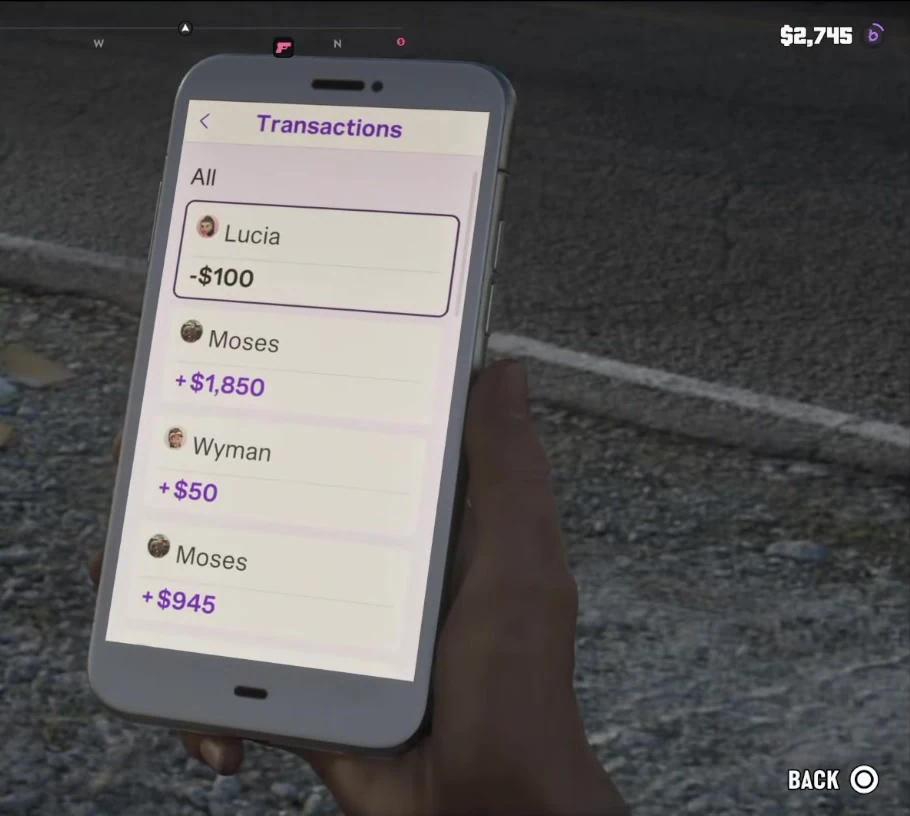
If the payment is listed as pending, compare the amount you're expecting with your current balance and account limit.
- The payment fits within your maximum account limit: Try making enough room for the full amount. You could withdraw some money at an ATM or make a purchase you were already planning.
- The payment exceeds your maximum account limit: Continue through the main story until your account upgrades.
- The payment isn't listed at all: Check how the job or buyer is supposed to pay you. Some payments are delivered later or through a different method.
- The payment remains pending after an upgrade: Check your new account limit, available balance and transaction history.
Payments held because your Checking account is full are processed after the relevant story-based account upgrade, according to Rockstar's official support guidance.
If you have sufficient room and the payment still hasn't arrived after the relevant upgrade, check for game updates and contact Rockstar Support if the problem continues.
Haven't been paid by a fence?
Not every missing payment is a BuckMe problem.
Some buyers don't pay you immediately after you deliver stolen goods. Depending on the buyer and your story progress, the money may arrive later or through another payment method.
Check our GTA 6 fence locations guide for information about individual buyers and how they pay.
How to increase your BuckMe account limit
Your initial Checking account is limited to $15,000. That is enough for smaller jobs, but it can become a problem once you start earning larger amounts.
As you progress through GTA 6, BuckMe upgrades your account and increases the amount of money you can hold.
All BuckMe Checking account limits
| Account tier | Maximum balance | Reported story unlock |
|---|---|---|
| Initial Checking | $15,000 | Chapter 1 – Buck Me |
| Silver | $100,000 | Chapter 2 – around Coffee Break |
| Gold | $500,000 | Chapter 3 – after Credit Check |
| Premium / Black | $2,000,000 | Beginning of Chapter 4 |
Look out for messages from BuckMe announcing your account upgrade. You can also check your current limit when depositing money at an ATM.
Reaching a new chapter does not necessarily mean your account has already been upgraded. Continue through the relevant missions and check your actual limit before taking on another high-paying job.
Not necessarily.
Family Savings goals and Checking account upgrades are related, but they serve different purposes.
Story progression can increase your Checking limit without requiring you to complete every associated savings target.
For example, BuckMe Premium becomes available at the beginning of Chapter 4 through story progression. You may see it referred to as BuckMe Black in your phone messages.
If you're close to that point in the story, there is little reason to lock away $500,000 purely to increase your bank account limit.
BuckMe account perks
As you progress, you can also receive discounts on certain purchases.
Reported BuckMe benefits include:
| Benefit | Discount |
|---|---|
| RydeMe journeys | 20% |
| Garage purchases | 20% |
| Vehicle liveries | 10% |
Open the Perks section of the BuckMe app to see which discounts are available to you.
Don't assume that every discount is automatically active simply because your account has been upgraded.
How to unlock BuckMe in GTA 6
BuckMe becomes available during Chapter 1, in a mission called Buck Me.
After Lucia returns home, she contacts Jason about setting up a bank account. Head to the Fleeca branch in Key Lento to meet her.
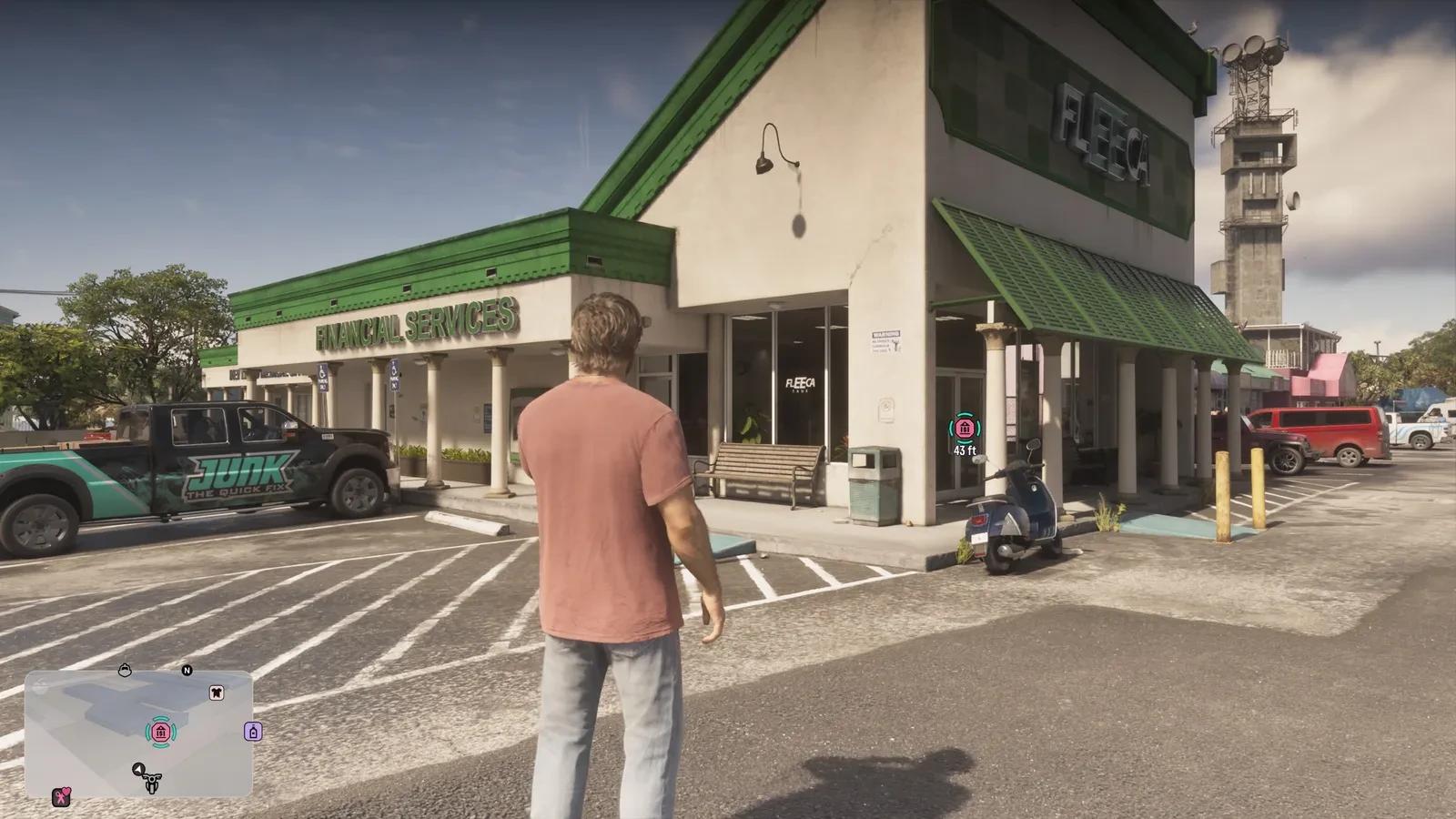
Jason and Lucia are unable to open a conventional bank account, so they are offered BuckMe instead.
Once the app is installed, complete the introductory setup:
- Press Up on the D-pad to open your phone.
- Select the purple BuckMe app.
- Open your Checking Account.
- Select Buck Yourself.
- Move the initial $100 into Family Savings.
You can now work towards your first savings goal and use the banking features as they become available.
If BuckMe isn't installed on your phone yet, continue through the Chapter 1 story missions. Visiting an ATM alone won't unlock the app.
How to deposit and withdraw money in GTA 6
You don't need to visit a Fleeca bank branch every time you want to deposit or withdraw money. ATMs are available throughout Leonida.
1. Find an ATM using BuckMe
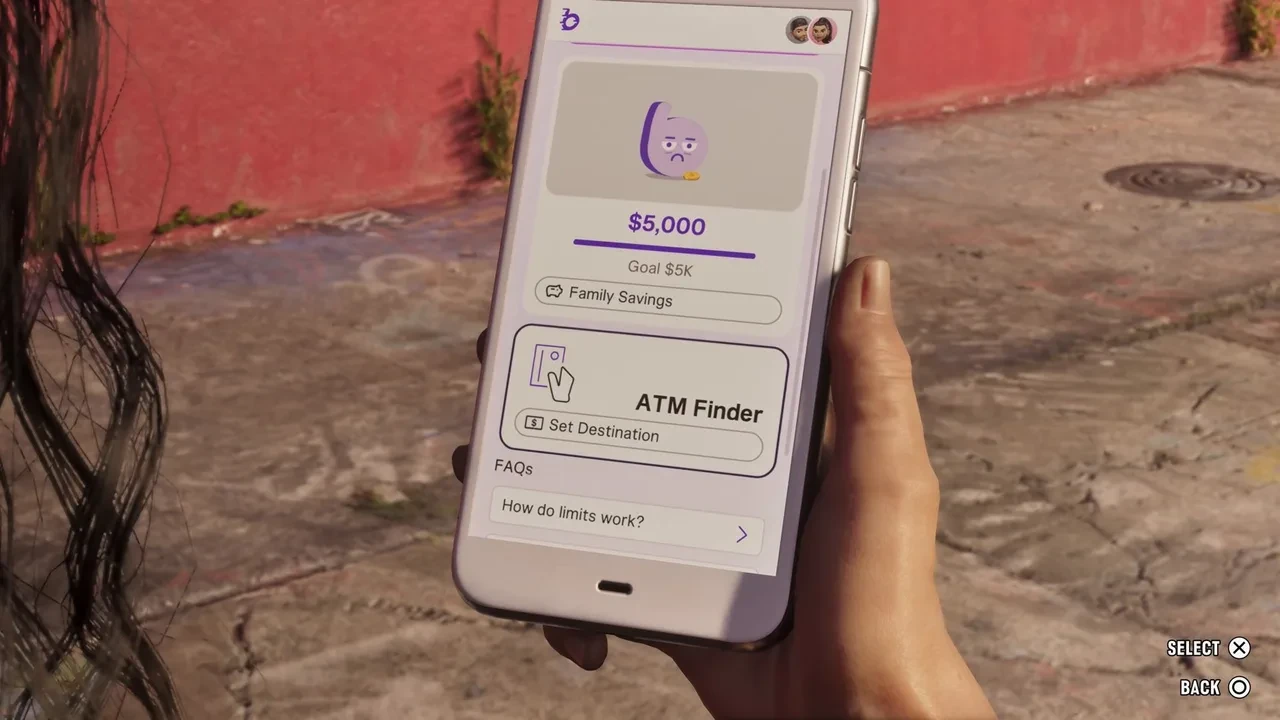
Open the BuckMe app on your phone and scroll down until you see ATM Finder.
Select Set Destination. The game will mark a nearby ATM on your map.
This is especially useful after completing a profitable robbery or collecting a large amount of cash.
2. Go to the ATM
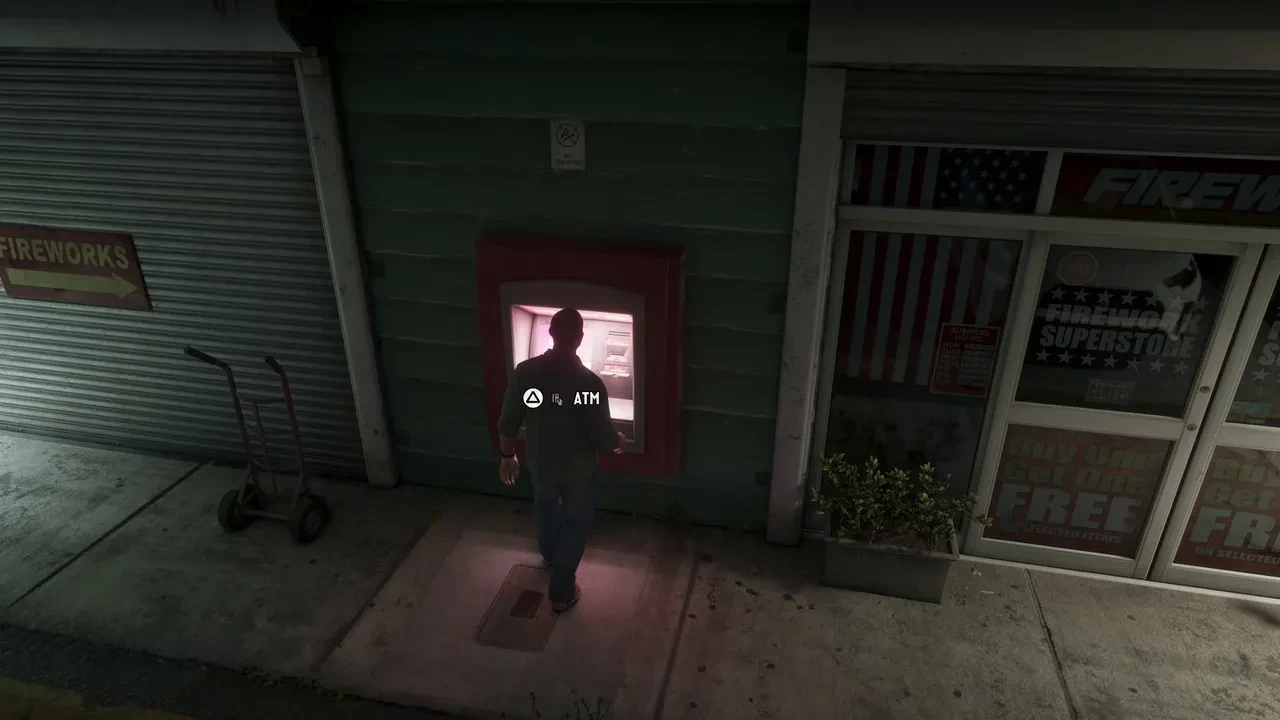
Follow the route marked on your map and interact with the machine when the ATM prompt appears.
3. Choose Deposit or Withdraw
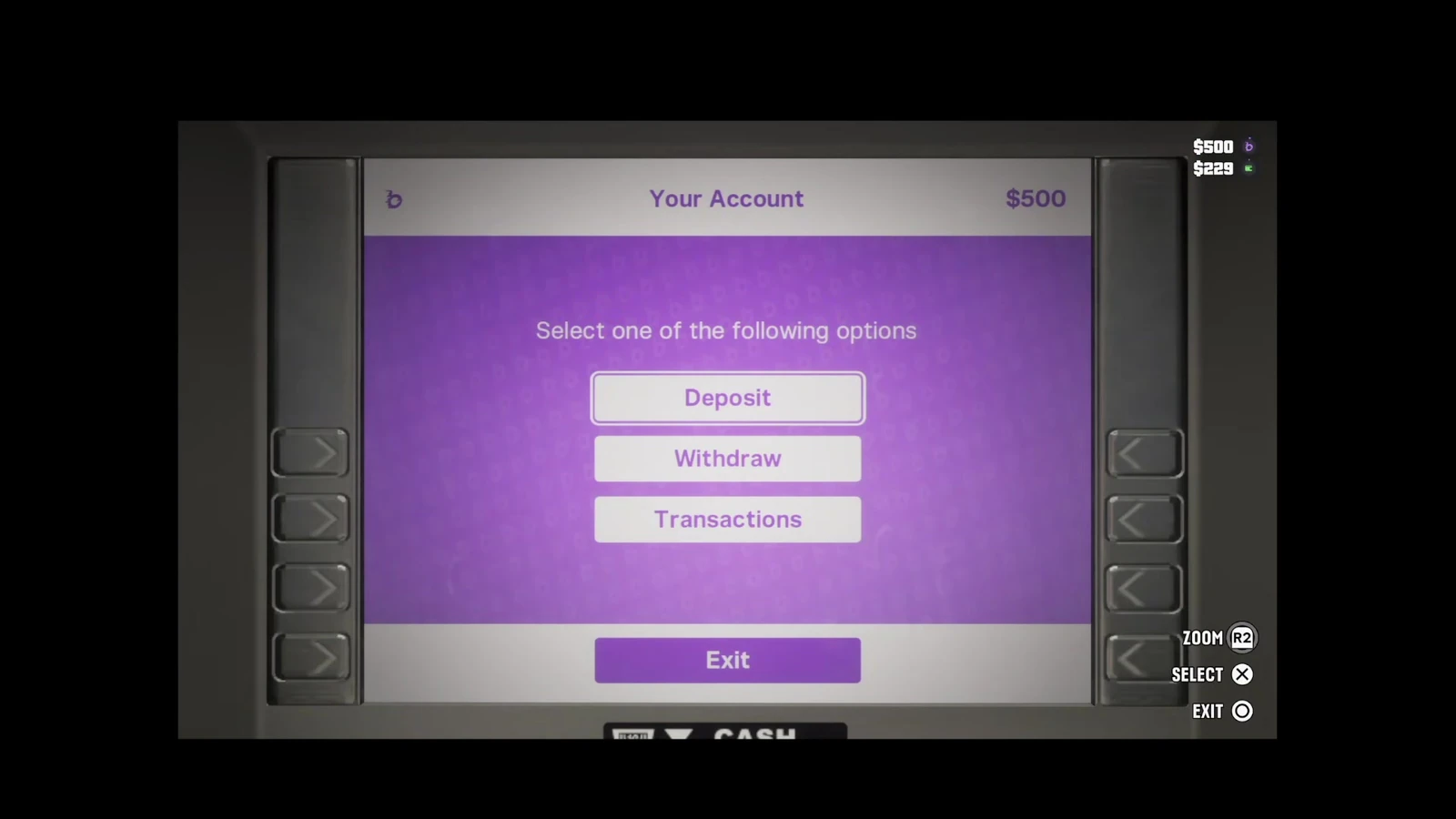
The ATM gives you four options:
- Deposit
- Withdraw
- Transactions
- Exit
Choose Deposit to move cash from your pocket into Checking.
Choose Withdraw to move available money from Checking back into your pocket.
4. Select the amount
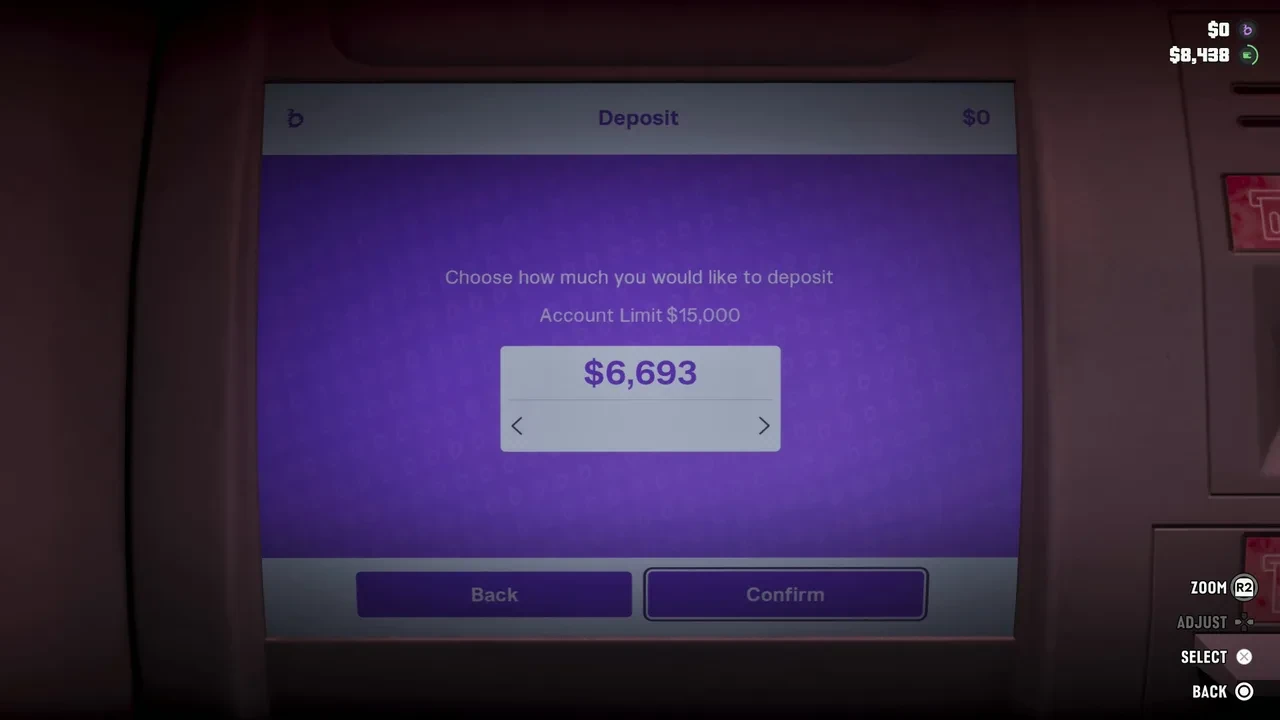
Use the on-screen controls to choose how much money you want to move.
When making a deposit, the screen also displays your current account limit.
For example, if your account has a $15,000 limit and you already have $12,000 in Checking, you can only deposit another $3,000.
Reduce the deposit amount if necessary.
5. Confirm the transaction
Select Confirm and check that the money has moved into the correct balance.
You can use the Transactions menu to review your account activity.
If the machine won't accept your deposit because you've reached your Checking limit, visiting a different ATM won't solve the problem. You need to make room or unlock a higher account limit.
GTA 6 Family Savings explained
Family Savings is one of the more unusual features of GTA 6's money system.
You are effectively putting money aside for Jason and Lucia's future rather than saving towards your next purchase.
Once you've contributed money, you cannot take it back out to buy a vehicle, pay for a mission or cover another expense.
That's why it's important to decide how much you can afford to save before making a transfer.
How to transfer money into Family Savings
- Open BuckMe on your phone.
- Select Checking Account.
- Choose Buck Yourself.
- Enter the amount you want to save.
- Check how much money will remain in Checking.
- Confirm the transfer.
The game displays a warning before you confirm, explaining that the money cannot be withdrawn afterwards.
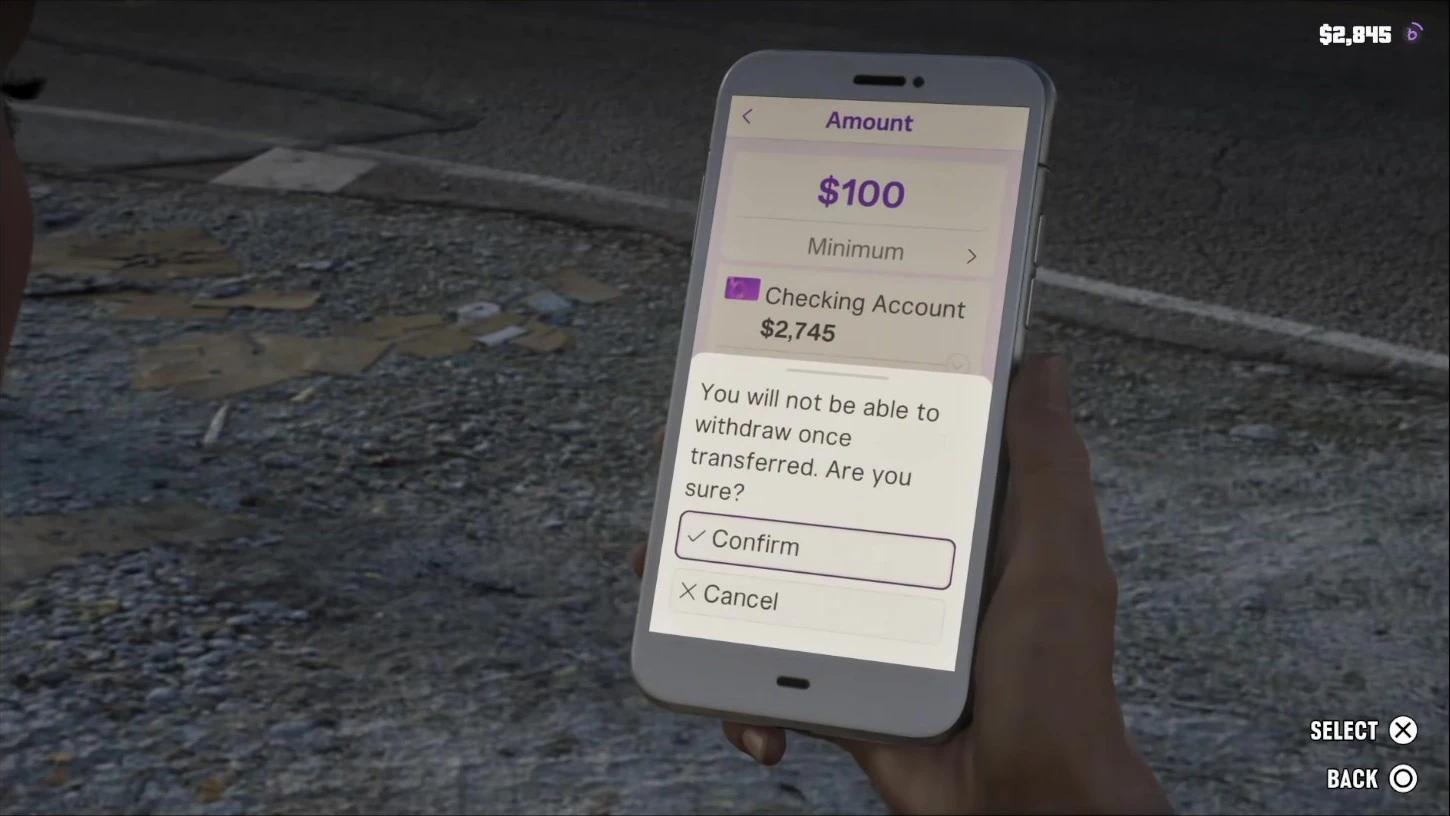
For example, if you have $2,845 in Checking and contribute $100, your available bank balance falls to $2,745.
The $100 is added to Family Savings instead.
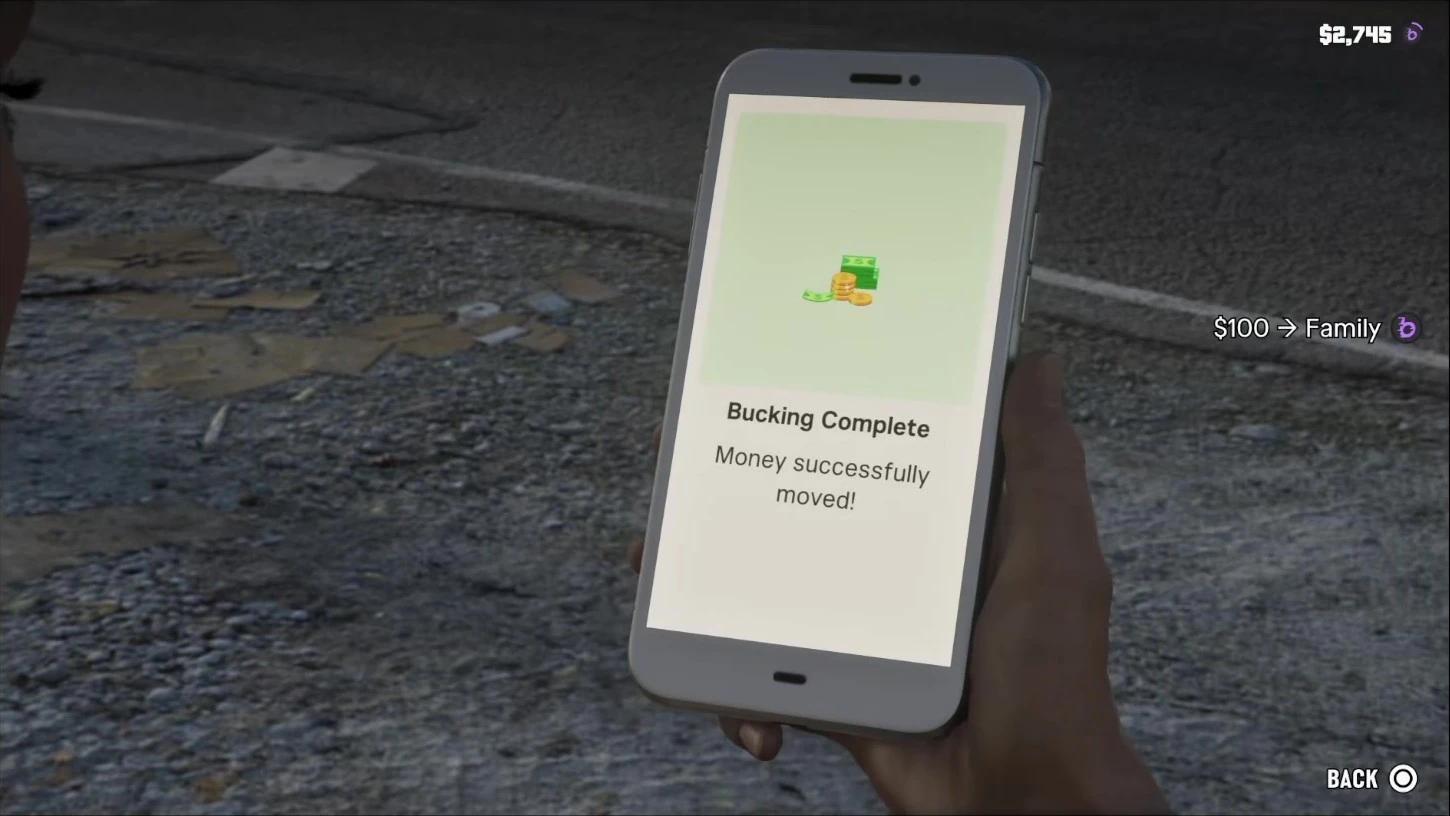
Once the transfer is complete, BuckMe displays a confirmation message.
What are the Family Savings goals?
Your first savings goal is $5,000.
As you progress through the story, larger savings targets become available, eventually leading towards a final goal of $2 million.
The BuckMe app shows your current savings balance and how much more you need to contribute towards the available goal.
Don't confuse the amount remaining with the total savings target.
For example, if you have $5,000 in Family Savings and BuckMe says you need another $95,000, your next savings target is $100,000.
The goals you see can change with story progression, so check the app before deciding how much money to transfer.
How does Family Savings interest work?
Reaching a savings goal can earn you an interest reward.
Players who have completed the first $5,000 goal have reported receiving an additional $2,000 in Family Savings around the early Chapter 2 account upgrade.
With no other contributions, that increases the savings balance from $5,000 to $7,000.
| First savings goal | Amount |
|---|---|
| Your contributions | $5,000 |
| Reported interest reward | $2,000 |
| Resulting savings balance | $7,000 |
The important distinction is that the reward goes into Family Savings. It does not give you another $2,000 to spend from Checking.
Don't treat this as a regular interest rate that pays out every day or week. Savings rewards are associated with goals and progression, and the full payment schedule has not yet been established.
Is Family Savings worth it in GTA 6?
Yes, but how much you should save depends on where you are in the story.
Saving every dollar isn't necessarily the best strategy. Some missions require substantial payments, and you can't use Family Savings to cover them.
Chapter 1: Aim for the first $5,000
This is one of the most important times to contribute to Family Savings.
The transition into Chapter 2 can cause you to lose both pocket cash and ordinary Checking funds. Money already held in Family Savings carries over.
Try to reach the first $5,000 savings goal before starting the final Chapter 1 mission sequence.
Minor story progression warning: Tourist Trap marks an important point in the story. Before starting it, review your balances and make a separate manual save.
Some players have also reported losing outstanding BuckMe payments during this transition. Where possible, resolve those payments before moving on.
Chapter 2: Keep enough money for Vice City
Your immediate priority is meeting the $15,000 earnings requirement for Prepare for Vice City.
Don't transfer all your available money into Family Savings while you're still trying to establish yourself in the new area.
Complete the available jobs, build up your spending money and work towards further savings goals when you can afford to.
Our GTA 6 money-making guide explains which activities are worth doing during each chapter.
Chapter 3: Balance saving with buying useful equipment
By Chapter 3, you have more opportunities to earn money and more things to spend it on.
You might want to buy a garage, register additional vehicles or upgrade your weapons.
Before contributing another large amount to Family Savings, consider which purchases would actually help you progress through the game.
A garage discount can be useful if you're building a vehicle collection. But it doesn't automatically make a large savings contribution worthwhile if you weren't planning to buy garages in the first place.
Chapters 4 and 5: Prepare for expensive story missions
Later in the story, you need to make two substantial payments.
| Chapter | Required payment |
|---|---|
| Chapter 4 | $75,000 |
| Chapter 5 | $150,000 |
Keep enough money available in Checking when these objectives become active.
These are separate payments at different points in the story. Having a large Family Savings balance will not help if you cannot afford the upcoming payment.
Does Family Savings affect the GTA 6 ending?
Yes. Reaching certain savings goals can influence the outcome of Jason and Lucia's story.
You don't need $2 million in Family Savings simply to finish GTA 6. However, the final savings goal matters if you're aiming for a particular ending.
If that is important to you, work towards the target before committing to the final story missions. The game gives you an opportunity to postpone the finale.
Your savings balance is only one part of the ending requirements. Other decisions and your progress throughout the story also matter.
Frequently asked questions
Can you withdraw money from Family Savings?
No. Once you confirm a contribution, the money cannot be transferred back into Checking or withdrawn at an ATM.
Why is my payment pending when my bank account isn't full?
The payment you're expecting may be larger than the remaining space in your account. Compare the payment amount with your available Checking capacity.
How long do BuckMe pending payments take?
There is no established waiting time that applies to every transaction. You may need to make room in your account or progress through the story to unlock a higher limit.
What is the maximum bank balance in GTA 6?
BuckMe Premium can hold up to $2 million in Checking.
Do Jason and Lucia share their money?
Family Savings is shared, while pocket cash is carried individually. When switching characters, check the available Checking balance before making a major purchase.
Can you lose money stored in BuckMe?
Yes. While Checking provides protection against some of the risks of carrying cash, certain story events can still affect your bank balance. The end of Chapter 1 is an important example.
Do you need to carry cash to buy things?
Not always. Many purchases can be paid directly from your Checking account. Keeping some physical cash available can still be useful for cash-based encounters.