GTA 6 Story Mode
How to Sell Cars in GTA 6
ViceSix · Reviewed
Check the tracker before you take a car. Moses buys eligible untracked vehicles in Chapter 2, Pay ’n’ Spray opens up more selling options in Chapter 3, and Randy pays for high-end cars he’s looking for.
On this page
Where to sell cars in GTA 6
Moses
Chapter 2 · Watkins Auto Parts, Port Gellhorn
Finish his introductory mission after Girls’ Trip. Start with an untracked car taken away from the garage. Check his offer and come back later if he closes after a sale.
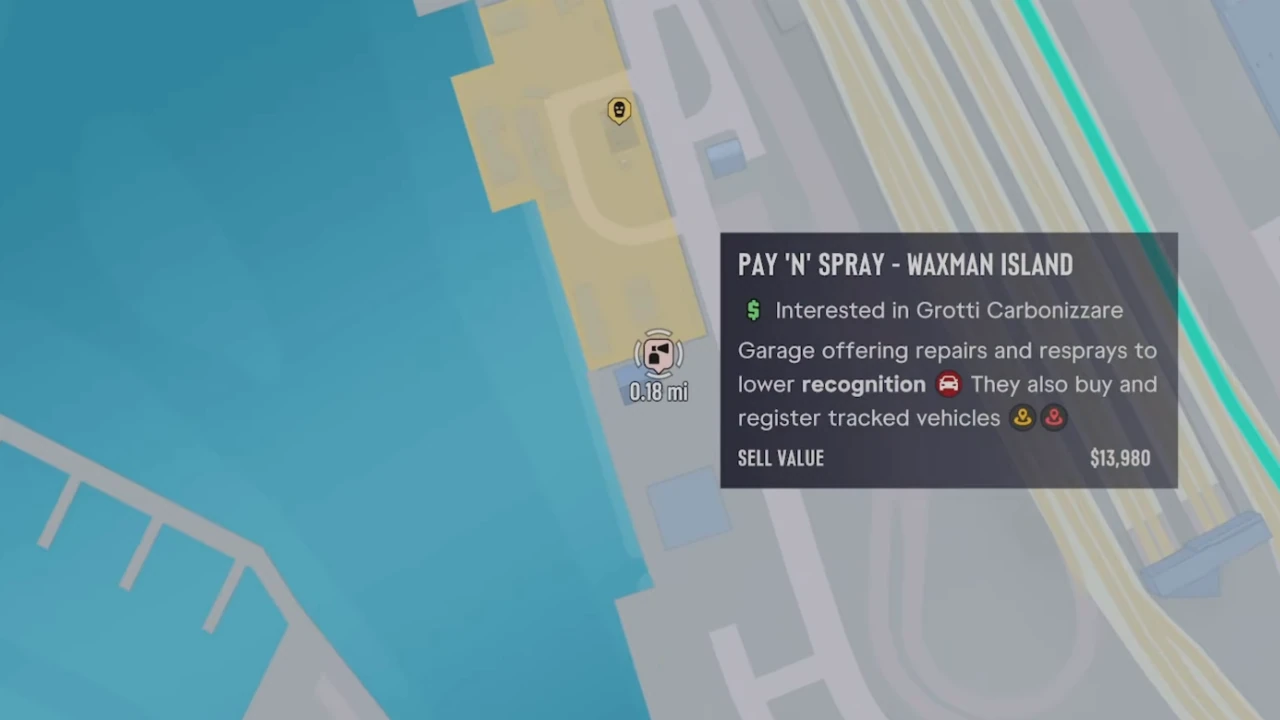
Pay ’n’ Spray
Chapter 3 · Find shops under Index → Vehicles
After Welcome to Vice City, look for the selling unlock and check Services → Sell. Choose a shop that accepts the car’s tracker. Stop when the daily limit appears.
Randy
Chapter 3 · Follow his marker outside Vice City
Finish Clonin’ Keys, Makin’ GS and check his requests. A clean delivery can earn more, but an expensive car isn’t automatically one he wants.
Moses also sends specific vehicle requests after Daily Driver. Treat those as separate jobs from ordinary garage sales. Use the goods buyer directory for jewelry, narcotics and marked bills.
Match the tracker to a buyer
| Tracker | Progress | Where to try |
|---|---|---|
| No tracker | Chapter 2, after Moses | Try Moses. Unlocked Pay ’n’ Spray shops may also take eligible cars later. |
| Standard | Chapter 3, after the selling unlock | Check Pay ’n’ Spray’s Sell option. Repair access alone doesn’t unlock sales. |
| Advanced | Chapter 3 requests; broader sales later | Use Randy for eligible requests. Try Pay ’n’ Spray only after the Mamba GT delivery and his follow-up. |
Scan and sell a stolen car
Start with a car your buyer might take
For Moses, look for an older model away from Watkins. If you need money for your next mission, compare other ways to earn before making a long delivery for a small offer.
Scan with WAiNK
Moses’s Chapter 2 introduction teaches the scan. Hold Up on the D-pad to open WAiNK, aim at the vehicle, then use R1 on PlayStation or RB on Xbox to scan. Follow the prompt to cycle through the results.
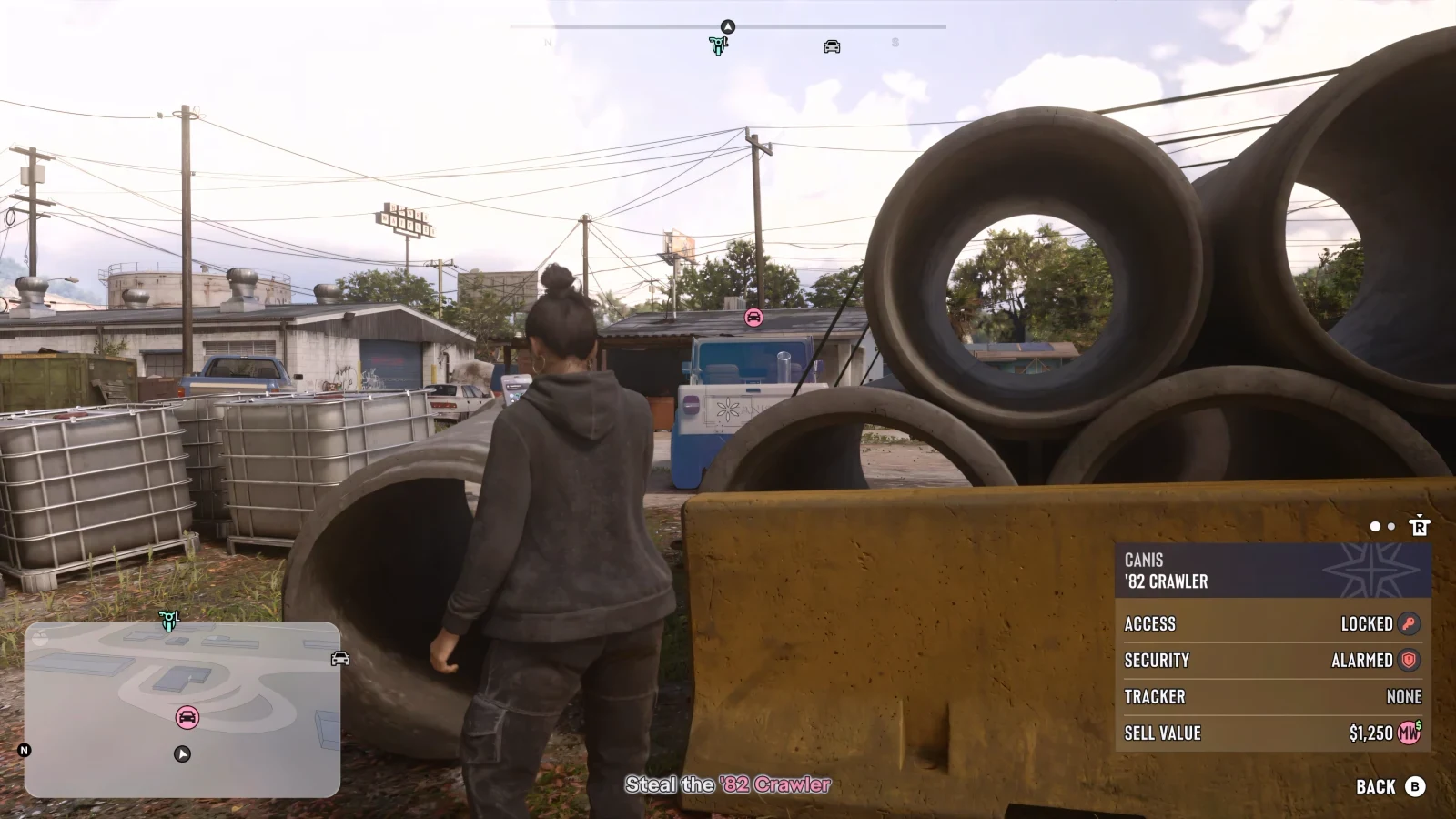
Read Tracker separately from Access and Security. Enlarge Read the tracker, security and price separately
Access tells you how to get in; Security tells you about the alarm. Tracker affects eligibility and, for Advanced Trackers, can complicate the trip. A quote is not a guarantee that a particular buyer will accept it.
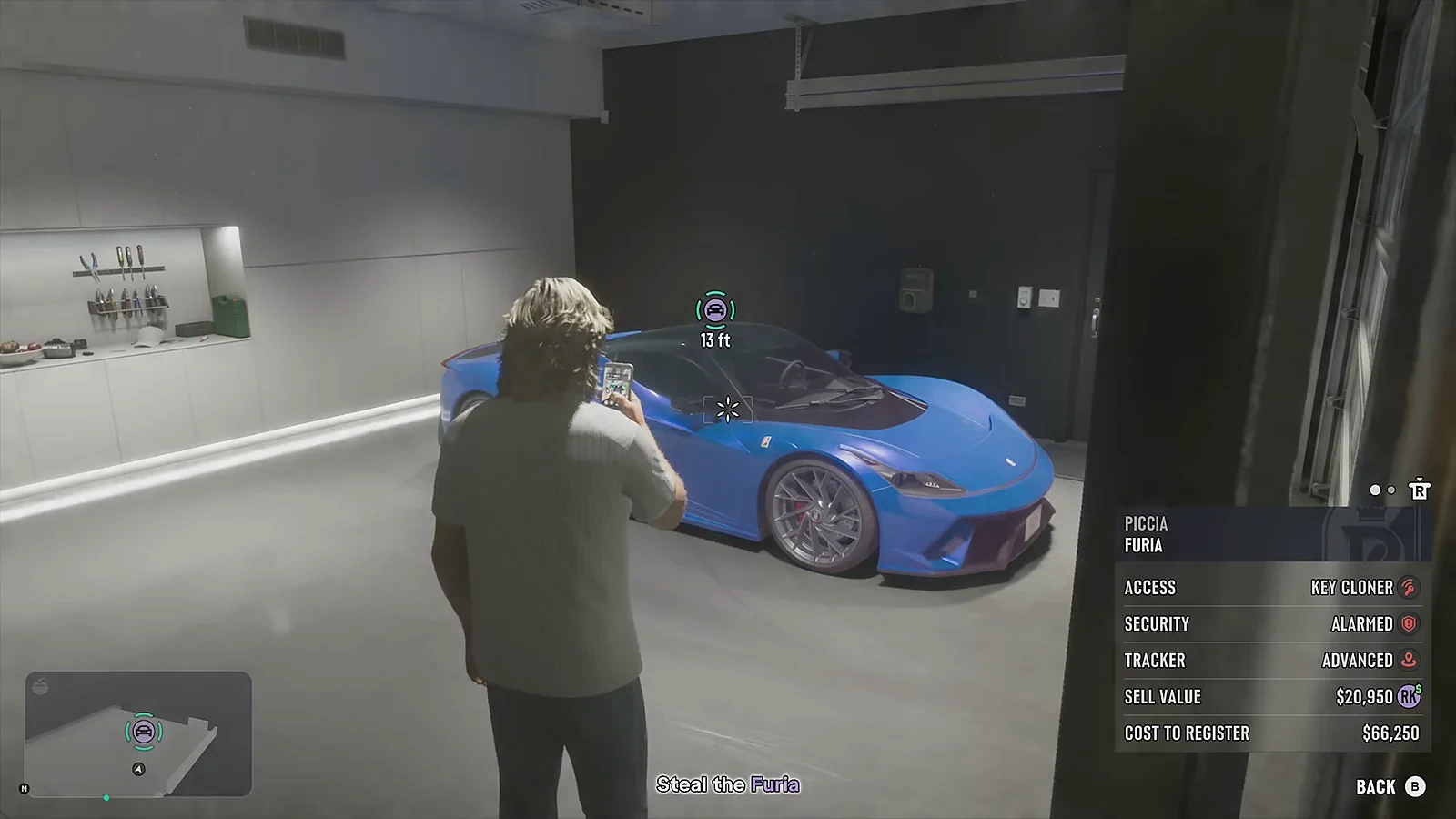
This Furia scan shows a $20,950 sell value and a $66,250 registration cost. Neither is a quote for your current vehicle. Enlarge Use the access the car calls for
Use the Slim Jim for suitable locked cars after Moses introduces it. Keyless cars may need the Key Cloner after Randy’s introduction. Neither tool removes a tracker or unlocks a sale.
Deliver it to the right buyer
Clear your wanted level and avoid damage. At Moses’s garage, approach him and choose Sell. At an unlocked Pay ’n’ Spray, use the Services menu. Check the map for buyer interest before driving across town.
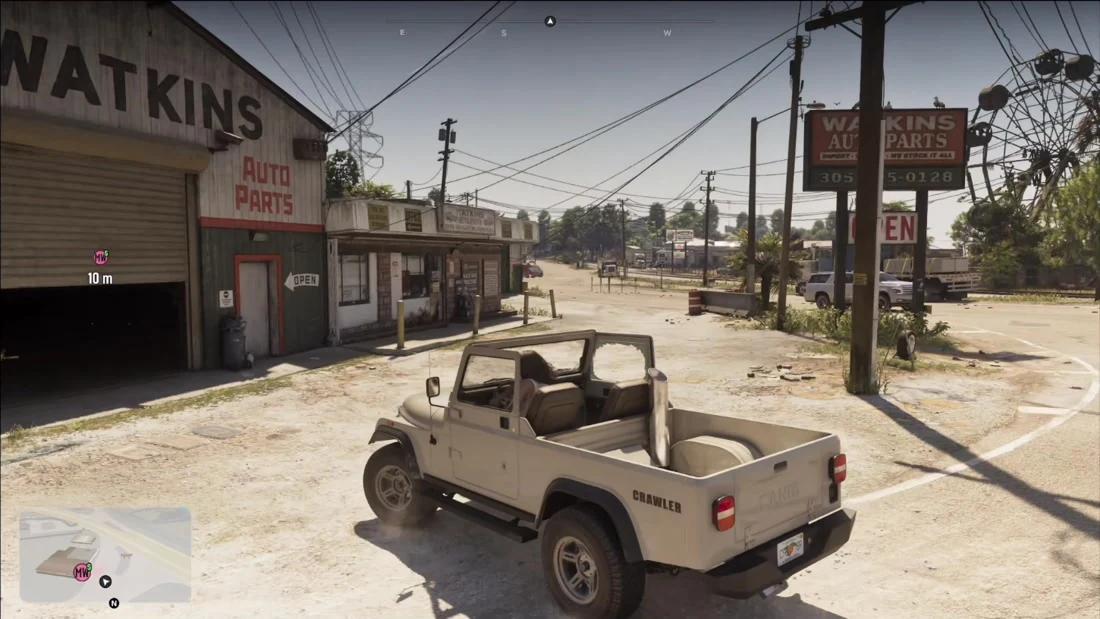
Look for the Watkins sign and drive into the open bay. Enlarge Confirm the offer and check BuckMe
If the offer is too low, skip the trip next time. Condition and the buyer can change the offer. After accepting, check the transaction in BuckMe.
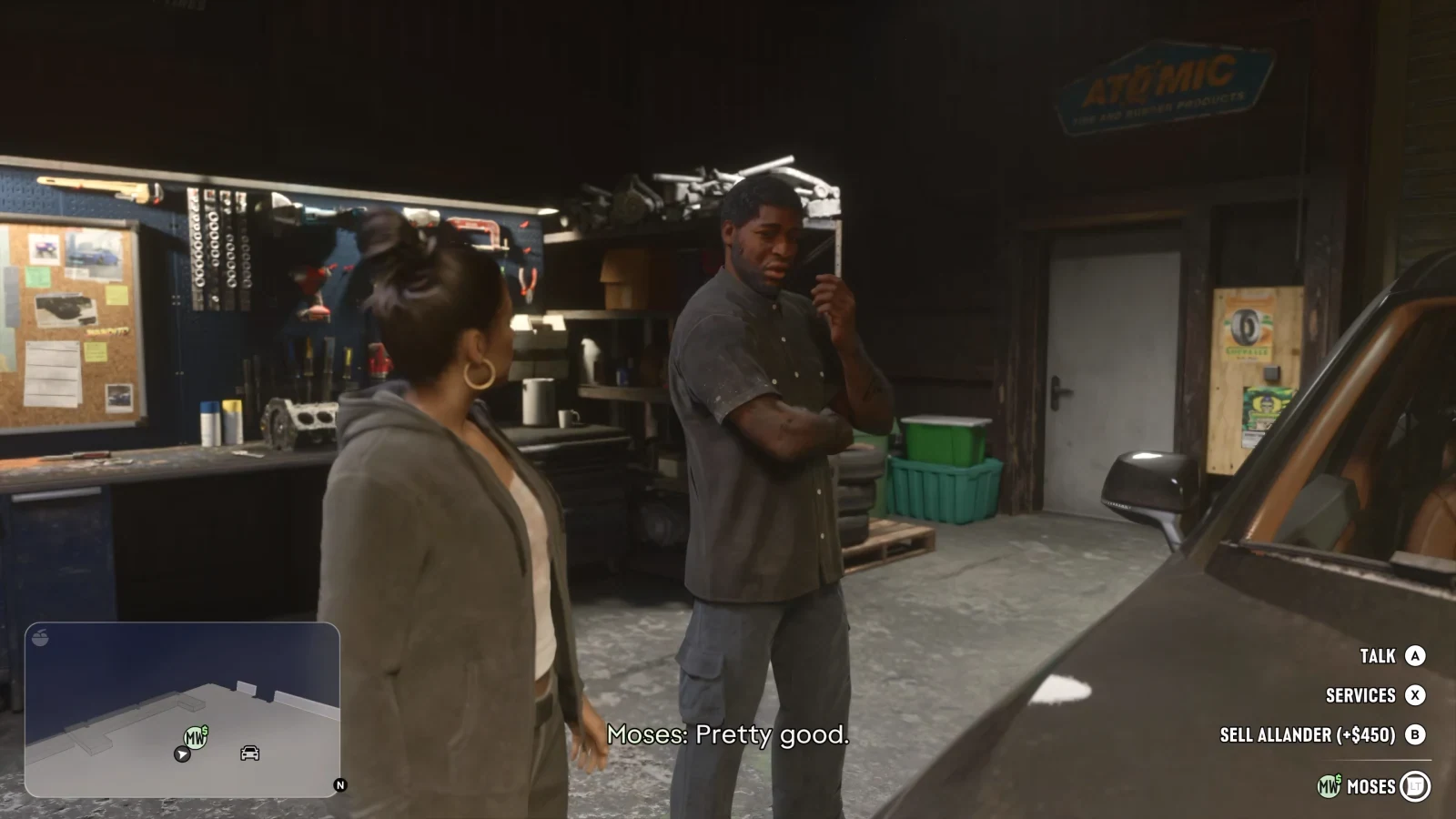
Check the offer before accepting. Moses offers $450 for this car. Enlarge
Sell it or keep it?
On the pictured Piccia Furia, $20,950 is the sell value; $66,250 is what registration would cost. If you want to keep the car, check the registration fee and whether you have space before spending on upgrades. See how to register and save cars.
Randy’s Wish List and Advanced Trackers
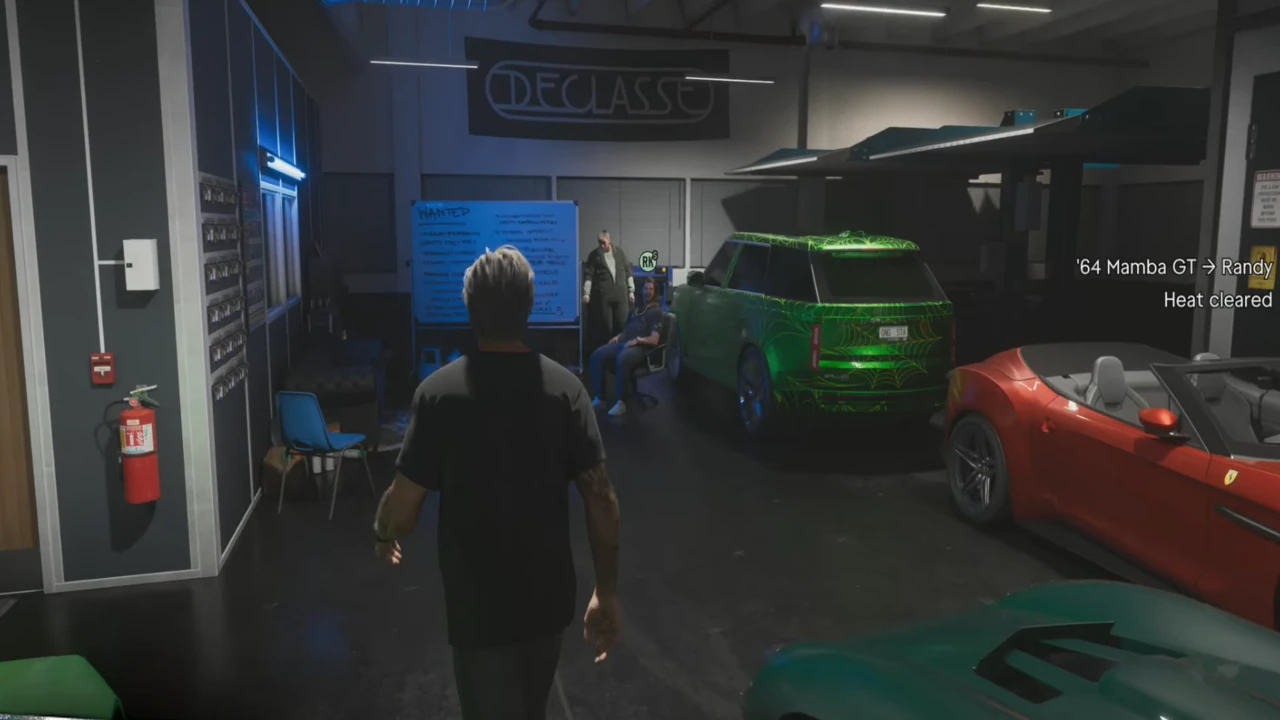
Complete Clonin’ Keys, Makin’ GS to start Randy’s jobs. Check his Wanted board or Map → Robberies → Randy’s Wish List. If you find a match, keep the car in good condition on the way back. The Granforma Zorrusso has its own story pickup.
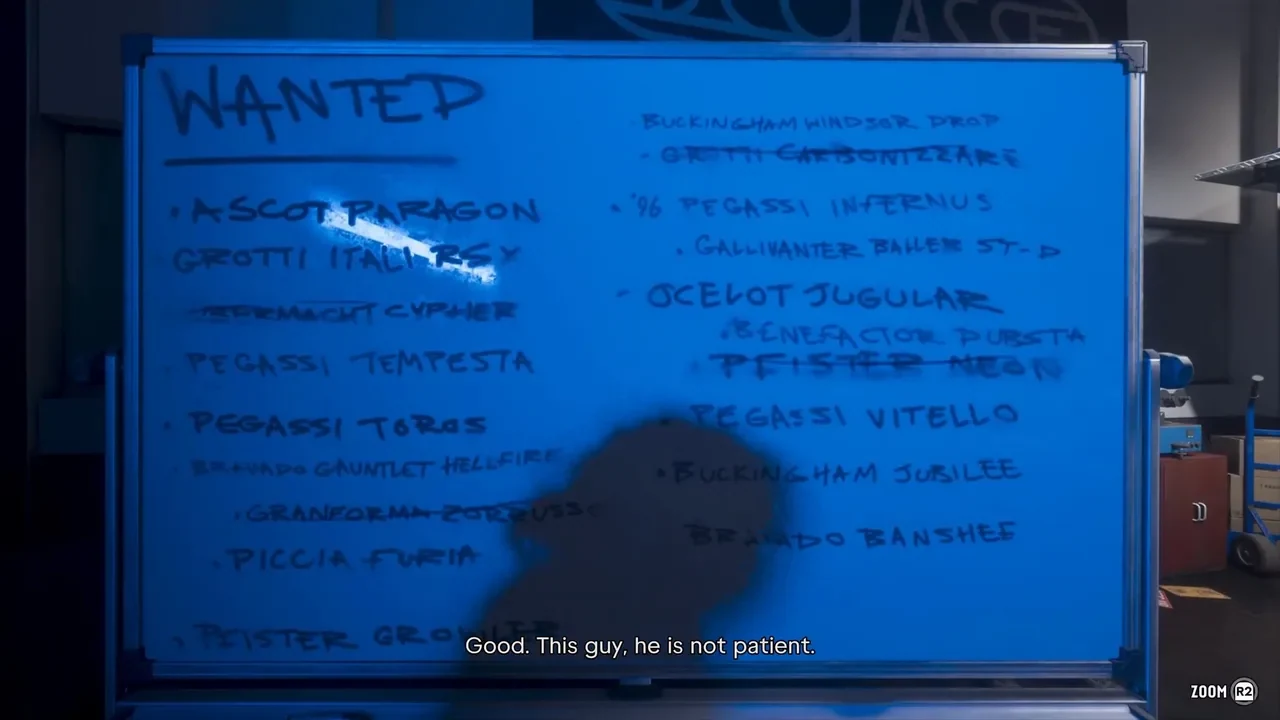
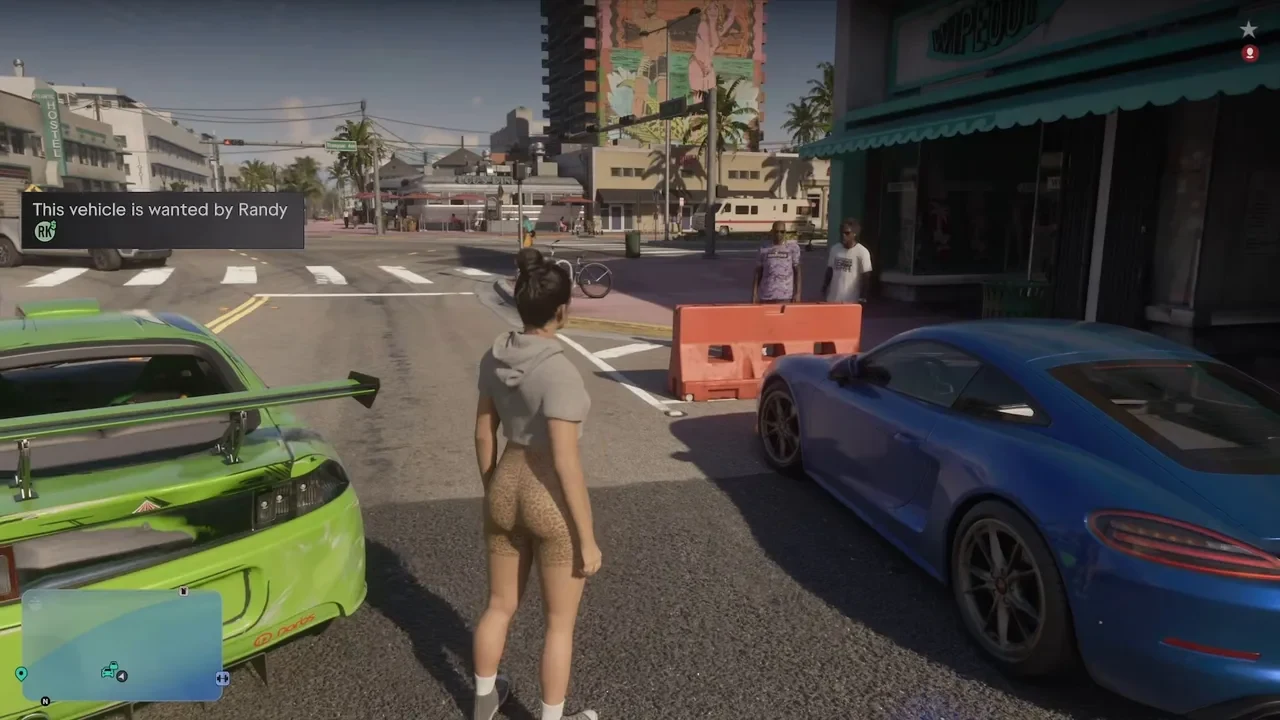
Advanced Trackers can signal police when you slow down. Plan the delivery before taking the car. Keeping moving does not remove its tracker, and taking a car Randy didn’t ask for won’t unlock the service.
Story spoilers: unlock Advanced Tracker sales at Pay ’n’ Spray
- Progress through Chapter 4. If the request isn’t appearing, check whether you’ve finished Photo/Shoot (Shoot a Promo) and whether Randy has other requests available.
- When Randy calls about the ’64 Declasse Mamba GT, follow his directions to Leaf Links and deliver it to him.
- Wait for Randy’s confirmation before trying to sell Advanced Tracker cars. Then check Sell at Pay ’n’ Spray.
Sell registered or stored cars from your garage
At a Pay ’n’ Spray with selling unlocked, use R1 on PlayStation or RB on Xbox to switch from Services to Stored Vehicles. Select a car from the list; you don’t need to bring the selected stored car to the shop. Check the model, quote and personal-vehicle icon before confirming, especially when selling more than one.
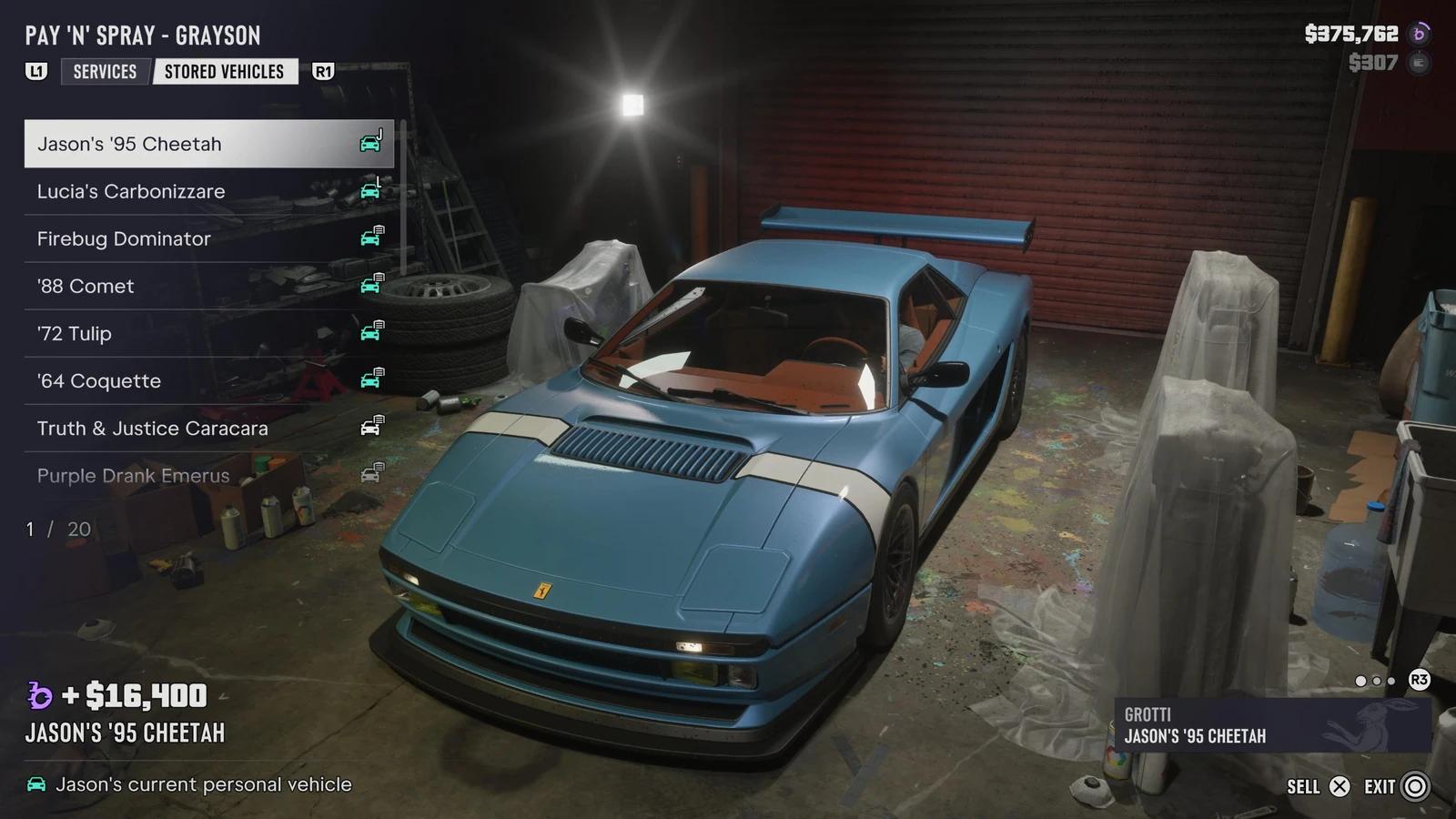
If a special or mission vehicle isn’t listed or Sell is unavailable, don’t assume it can be sold. If you just need more space, check the garage guide or browse the vehicle database before giving up a car you want to keep.
Why won’t the game let me sell this car?
- Moses refuses the car
- Check that it has no tracker, wasn’t taken right outside his garage, and that he’s open. His shop can close briefly after a sale; try another job and return.
- Sell is missing or an Advanced Tracker is refused
- Check your story and buyer unlocks. A shop may repair a car it won’t buy. For broader Advanced Tracker sales, wait for Randy’s call after the Mamba GT handoff.
- Randy hasn’t called about the Mamba GT
- Check the Chapter 4 story objectives and your outstanding requests. Complete your outstanding requests and continue through the story.
- You’ve hit a sale limit
- If Pay ’n’ Spray shows a daily limit, try again the next in-game day. Don’t assume switching shops bypasses it or that stored sales count the same way.
- The payment is pending
- Check the transaction and account capacity in BuckMe before selling another car.
- You want to sell your registered car
- Check the Stored Vehicles tab and confirm the exact listing. Registration isn’t required before selling an eligible stolen car to a buyer.
Eligible motorcycles can also be sold. Don’t plan around selling boats or aircraft through these buyers.